joanie.barr &
dara_edison ✨
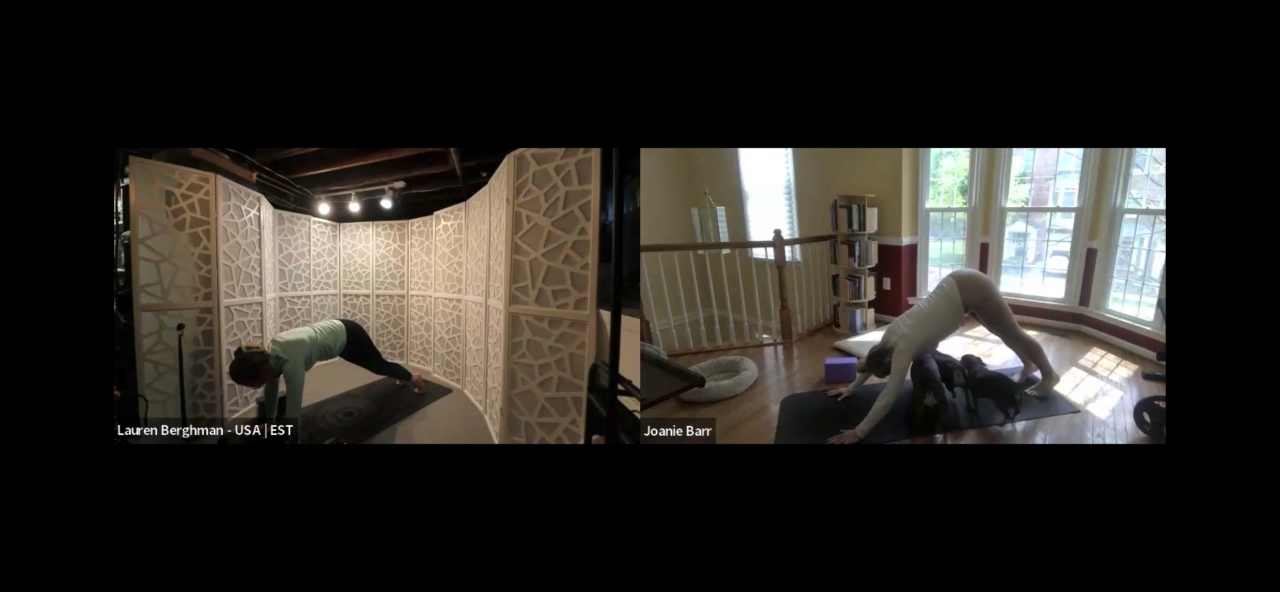
My first ever online Inside Yoga Alignment class
Thank you for being part of it and sharing the space.
(Also…shoutout to the pets joining class 🐾🤣)
Sharing this here because I’ve been playing around with this space a bit more—and it actually feels like a really fun way to connect, share, and support each other…almost like a mini social platform for the USA Inside Flow community group ✨
especially for seeing what’s happening locally and supporting each other here
Would be fun to see more of us sharing:
• moments from class (photos, clips, or links)
• what you’re working on / creating
• upcoming online + in-person classes
• questions / things you’re figuring out
Feels like a fun way to stay connected, see what everyone’s up to, and support each other both online and in person ✨
I’m planning to share more here as I continue building—if you feel like sharing something too, I’d love to see it ♥️
Whether it’s here or in your own post—excited to see more of you in this space ✨


 reacted to this post about 5 months ago joanie.barr & dara_edison ✨
 Post is under moderationStream item published successfully. Item will now be visible on your stream.



Support is reallyJust sharing in case it’s helpful --Posting this original post via desktop felt easier & smoother for me to do than my iPhone ✨
Support is really helpful too: support@insideyoga.org More ...
• Visit InsideFlow.com
• Click the top right menu (☰)
• Tap the + next to Manage
• Select Create an Event
•𝙃𝙤𝙬 𝙩𝙤 𝙖𝙙𝙙 𝙖𝙣 𝙀𝙫𝙚𝙣𝙩 𝙛𝙤𝙧 𝙄𝙣𝙨𝙞𝙙𝙚 𝙁𝙡𝙤𝙬
• Visit InsideFlow.com
• Click the top right menu (☰)
• Tap the + next to Manage
• Select Create an Event
• Follow the prompts
→ Be sure to read the notes under each section—they’re actually helpful.
Tip:
Right now, only the title and date show in the main list view.
To make your event clear at a glance, consider including:
• Online or in-person
• Day of the week
• Location
• Class length
• Time + timezone
Platform Note:
“Set a meaningful title for your event. It is recommended to include the name of the teacher(s) and the language.
Example: Weekly Inside Flow Class with Teacher XY (English)”
For online classes:
• Set your location as your country
• You can also add “Online Class” + your name in the title for clarity, since it doesn’t show clearly otherwise (for now)
Still experimenting with what works best, but this has been helping so far ✨ More ...